Business Client need Web Development
Contact person: Business Client
Phone:Show
Email:Show
Location: parkland, United States
Budget: Recommended by industry experts
Time to start: As soon as possible
Project description:
"Customize WooCommerce care page with Elements Pro
Customize WooCommerce cart page with Elementor Pro.
Create a new Cart template in the Theme Builder, delete the default shortcode, then drag and drop the Elementor Cart widget onto the page to design it using Elementor's layout, style, and responsive controls, customizing elements like product images, quantities, coupon forms, and the checkout button to match your brand.
Here's a step-by-step guide:
1. Access Theme Builder:
* From your WordPress dashboard, navigate to Templates > Theme Builder.
1. A - Included the sum of 7+7 in your proposal to be considered. All bids without this will be deleted without consideration
2. Create a New Cart Template:
* Click on Add New (or the plus icon).
* Select Cart as the template type.
* Give your template a name and click Create Template.
3. Edit the Cart Page:
* Elementor will open the cart page in its editor.
* Delete the default WooCommerce shortcode that appears on the page, as you'll be replacing it with Elementor widgets.
4. Add the Cart Widget:
* In the Elementor widget panel on the left, search for the Cart widget.
* Drag and drop the Cart widget into your new section.
5. Customize the Layout & Content:
* Choose a Layout: In the widget's settings, select a one or two-column layout for your cart.
* Configure Cart Items: Customize elements like product thumbnails (enable/disable), titles, and link behavior (e.g., link to product page or zoom).
* Add Other Widgets: Drag in other relevant widgets, such as the Product Quantity Selector, Coupon Form, or Order Summary.
* Stick the Order Summary: For long carts, you can "stick" the right-hand order summary column so it's always visible when scrolling.
6. Style Your Cart Page:
* Use the Style tab in the widget settings to change colors, typography, spacing, button styles, and borders for all cart elements.
* Adjust input fields, buttons, and sections to match your brand.
7. Ensure Responsiveness:
* Use Elementor's responsive editing mode (desktop, tablet, mobile icons) to adjust settings like font sizes, row gaps, and layout for different devices.
8. Publish and Update:
* Once satisfied with the design, click the green Publish button.
* Set display conditions to ensure this template applies to your WooCommerce cart pages.
I will provide desired finished product in chat
Working with me successfully on this could lead to much more work.
Thanks for Bidding" (client-provided description)
Matched companies (6)
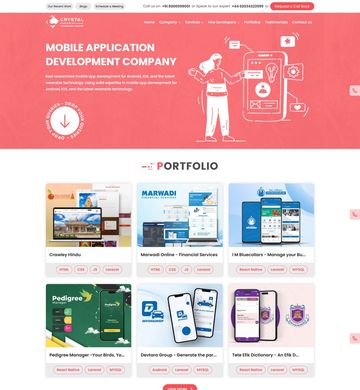
Crystal Infoway

Codetreasure Co

Conchakra Technologies Pvt Ltd

SYNERGIC SOFTEK SOLUTIONS PVT LTD

JanakiBhuvi Tech Labs Private Limited
