Business Client need Software Development
Contact person: Business Client
Phone:Show
Email:Show
Location: Melbourne, Australia
Budget: Recommended by industry experts
Time to start: As soon as possible
Project description:
"We are building an AI voice agent that can answer call queues in Microsoft Teams Phone for us. We are struggling to integrate Microsoft Azure ACS, so that the agent/resource we assign in the queue in Teams admin centre for call queues can be routed through ACS. So we know in future when we add an AI brain in the routing actually is possible.
What we have tried so far:
Step 1: Confirm Federation is Active
You already have this
(EnableAcsUsers : True, AllowedAcsResources : {your ACS GUID})
That means your ACS is authorized to connect.
Step 2: Confirm Your Webhook is Reachable
Run your app:
node [login to view URL]
Start ngrok:
ngrok http 3000
You should see a URL like:
[login to view URL]
Keep that console open — we’ll use it for event verification.
Step 3: Register (or confirm) the ACS → Webhook Connection
Go to Azure Portal → Communication Services → acs-voice-devtest → Call Automation → Applications
(or under “Call Automation” → “Applications (Preview)” depending on your portal view).
If you don’t see it, create a new one:
Name: teamsai-agent
Callback URL:
[login to view URL]
Description: “TeamsAI incoming call handler”
Click Save
This step tells ACS where to send call events.
Step 4: Test If ACS Is Receiving the Call Event
Now, call your Teams number (the one assigned to your call queue):
+61 3 8844 3981
Watch your terminal where [login to view URL] is running.
If everything is wired correctly, you should see:
Received event: [
{
"eventType": "IncomingCall",
"data": {
"incomingCallContext": "eyJhbGciOi..."
}
}
]
So for summary
I have my node js code, azure ACS and resources set up, Teams queue and telephone license set up
Our hashes my own phone numbers for testing.
Set up ngrok
When we call the queue teams does answer correctly but we don’t see connections to my queue from ACS or my code/ngrok
So we have not yet validated we can have an Acs resource answering the call (eventually an AI agent)
Ideal flow but open to ideas
So, For Testing Right Now
To prove the flow without assigning a number:
Create the licensed Teams AI Agent user.
Add to a test queue that has a phone number.
Create an Azure AD App with both:
[login to view URL], [login to view URL]
Access to your ACS resource (via connection string).
Set up your webhook endpoint (/api/calls) via ngrok.
Register the webhook in Graph for that user’s call events.
When you call the queue:
The queue routes to your AI Agent user.
Graph sends a webhook to your app.
Your app can accept/join via Graph, and (optionally) spin up ACS media bridge to the AI Brain." (client-provided description)
Matched companies (5)
WhizzAct Private Limited
April Innovations
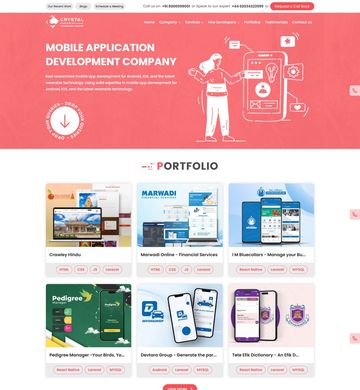
Crystal Infoway
Haven Futures